
EXAMPLE BREAKDOWN · CREATION TEMPLATE
AI Halloween Makeup Filter: Turn Your Photo Into a Horror Video
Upload one photo, pick a look, get a spooky Halloween video.
Try AI Halloween makeup with Skull Makeup, Corpse Bride, Demon or Creepy Clown. Turn one portrait into a 5-second video with themed lighting and movement while keeping your face recognizable.
Upload your portrait and adjust settings in the generator before generating.
How it works
Use one clear, front-facing adult portrait with the face and clothing visible. Avoid heavy existing makeup. No motion reference clip is needed.
- Upload one clear, front-facing adult photo in the generator. Use a photo you own or have permission to use.
- Pick one of the four looks: Skull Makeup, Corpse Bride, Demon or Creepy Clown. Your selection carries into the generator.
- Generate in the generator and follow its progress. When the video is ready, download it and share it.
Recreate the composition and action
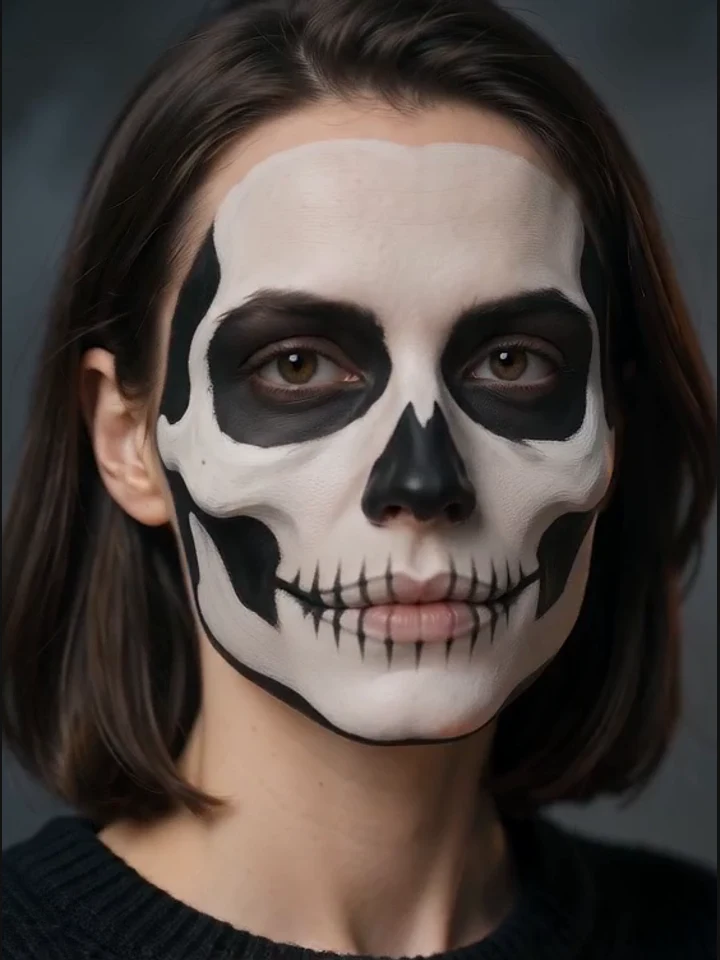
- Skull Makeup pairs flat black-and-white skull face paint, black eye sockets and painted teeth with a slow head turn and flickering candle light.
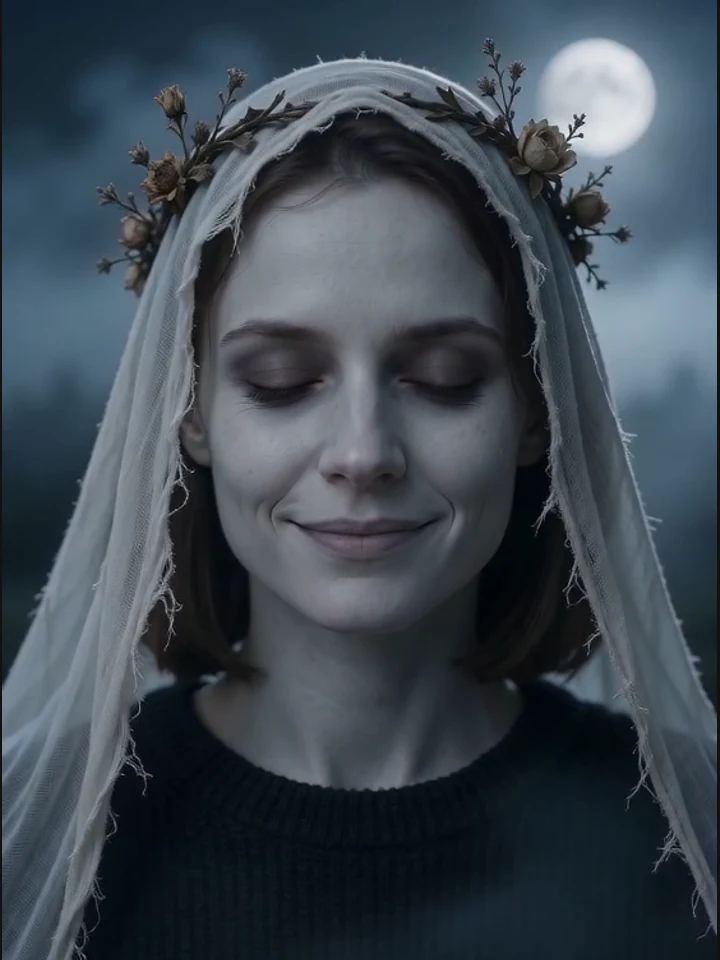
- Corpse Bride uses pale blue-grey skin, sunken eyes, a tattered white veil and dead flowers, with a subtle smile and blink in moonlit fog.
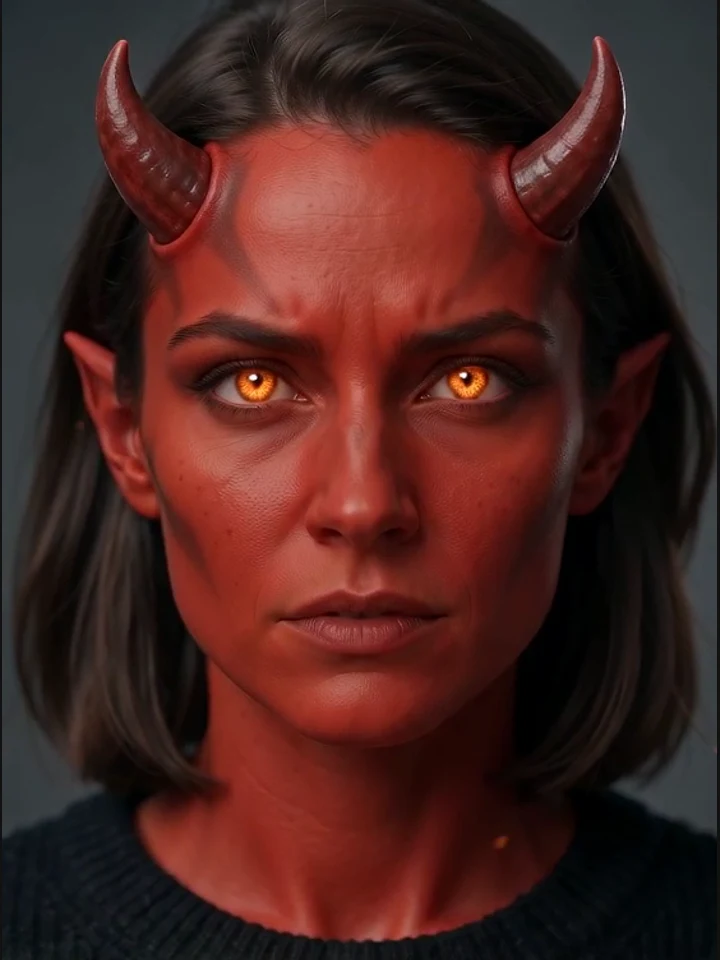
- Demon adds deep red makeup, small horns and glowing amber eyes; floating embers accompany a slow camera push-in.
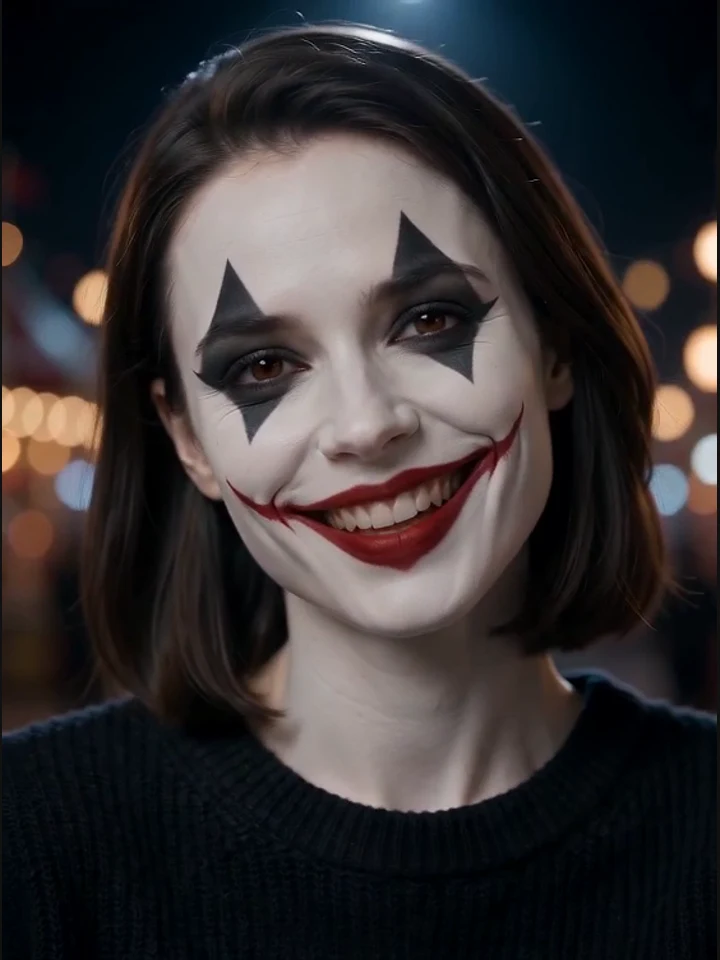
- Creepy Clown combines a white base, a smeared red grin and dark diamond eyes with dim carnival lights, a head tilt and a laugh.
Keep the 5-second output and check identity, makeup and motion before changing one detail at a time. Use cosmetic or costume effects; exclude blood, gore, lettering and watermarks.
The template prompt
This prompt is already included in the template. Refine its subjects, outfits and setting in the generator.
flat skull face paint painted directly on her bare skin with white and black greasepaint, matte black eye socket, nose tip painted black, teeth painted over the lips, natural skin pores and texture visible through the paint, no 3D prosthetic, no sculpted bone, no mask, dark smoky background, slow head turn, candle light flicker. Animate the uploaded adult portrait into a continuous 5-second video. Preserve identity, facial proportions, hairstyle and original clothing. Cosmetic makeup only; no gore, no blood, no text or watermark.
Frequently asked questions
Are there free credits for AI Halloween makeup?
Eligible new accounts may receive signup credits when the offer is enabled. Availability, amount and expiry depend on the current offer; check the signup dialog and your account balance. The default 5-second, 480p video costs 60 credits. Changing model or settings can change the cost; check the generator before submitting.
How long does it take?
The default output is a 5-second video. Follow generation progress in the generator and download the result when it is ready.
Can I post my video on TikTok?
You can download your video and share it on TikTok, Reels or Shorts, subject to applicable law, the underlying model provider’s terms and the platform’s rules. Use photos you own or have permission to use.
What happens to my uploaded photo?
Uploaded reference photos are stored in Cloudflare R2 and sent to the AI model provider to generate your video. To request deletion of your data, contact support@aishorts.studio from your account email.